
Free Browser Games, HTML5 Content Plus Much More
Welcome to vectorlight.net, here you will find Browser Games and HTML5 content ranging from tutorials and controls to demos and games. Also here is our Online Chat and Content Management System. To download content or to record your game highscores you will need to register for free.
New Html Tree View Control
Here is the start of a new Tree View control. Taking the original Silverlight version we have started to convert it over to Javascript.
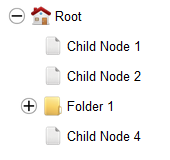
All the basic tree view functionality is present: Node customization, On-Demand Node Population, Drag and Drop, with more features to come in the future.
You can read more about the control and download it here: Tree View Control.
Apr 27, 2016 - read more...
New Html5 3D Cube Control Demo
Today we have added a new, expermiental control to the Html5 section of the website. The control added is the Html5 3D Cube an interesting way to project flat Html content onto the faces of a 3D cube.
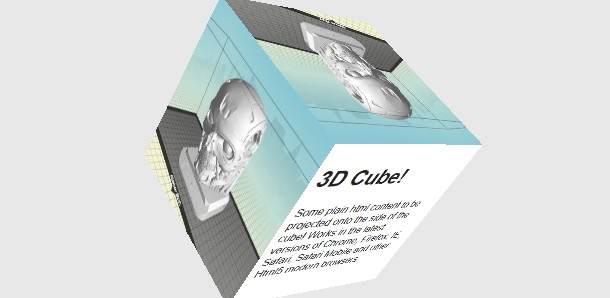
We have dabbled many times in the use of 3D in a regular 2D website without finding many compelling reasons for implementing 3D, but this experimental control may prove to be a useful addition to many websites, hence why we created it as a self-contained control.
You can read more about the control and download it here: 3D Cube Control.
Apr 15, 2016 - read more...
New Html5 Games X Pool, Life In One and More
Added recently are some great new Html5 games for you to try on your Mobile Phone, Tablet or PC. X-Pool is a great Pool game with online multiplayer mode.
Life In One is a great strategy game. Build units, mine Gold and stop the invading zombie army.
Jan 10, 2016 - read more...
New Responsive Layout
We've recently relaunched the website using a new responsive css layout. Whilst keeping the structure of the website as near as possible to the original structure, we've added responsive css to make the website much more usable on mobile, tablet and other devices with smaller screens.
Silverlight?
For those that remember, vectorlight.net was started as a Silverlight focused website. As Silverlight is now pretty much finished we will continue with other technologies, such as HTML5 and also Mobile and Tablet Games.
Although we no longer develop Silverlight applications we will leave that section of the website there and we also still have some great Silverlight games such as Super Tower Defense 2 and Chaos Tournament that you can still play if you have a Silverlight enabled browser and are using either a PC or Mac.

Jan 10, 2016 - read more...
3D CSS used to Create Website
With the CSS 3D effects being implemented in modern browsers RoomSay.com takes this new technology and enables you to map your traditional 2D content onto the walls of a 3D room. By Content we mean Twitter feeds, YouTube/Vimeo videos, Pictures, HTML5 Games, Instant Chat Walls etc. All of them can be placed in 3D space.
As mentioned earlier, you create "Rooms" and place your content on the walls of these rooms. Rooms can be linked together by placing doors in your rooms. The whole process of creating rooms is fairly straight forward and easy.
When you've created your rooms they will become available to the general public to browse, you can choose you own URL to access your room (http://www.roomsay.com/...).
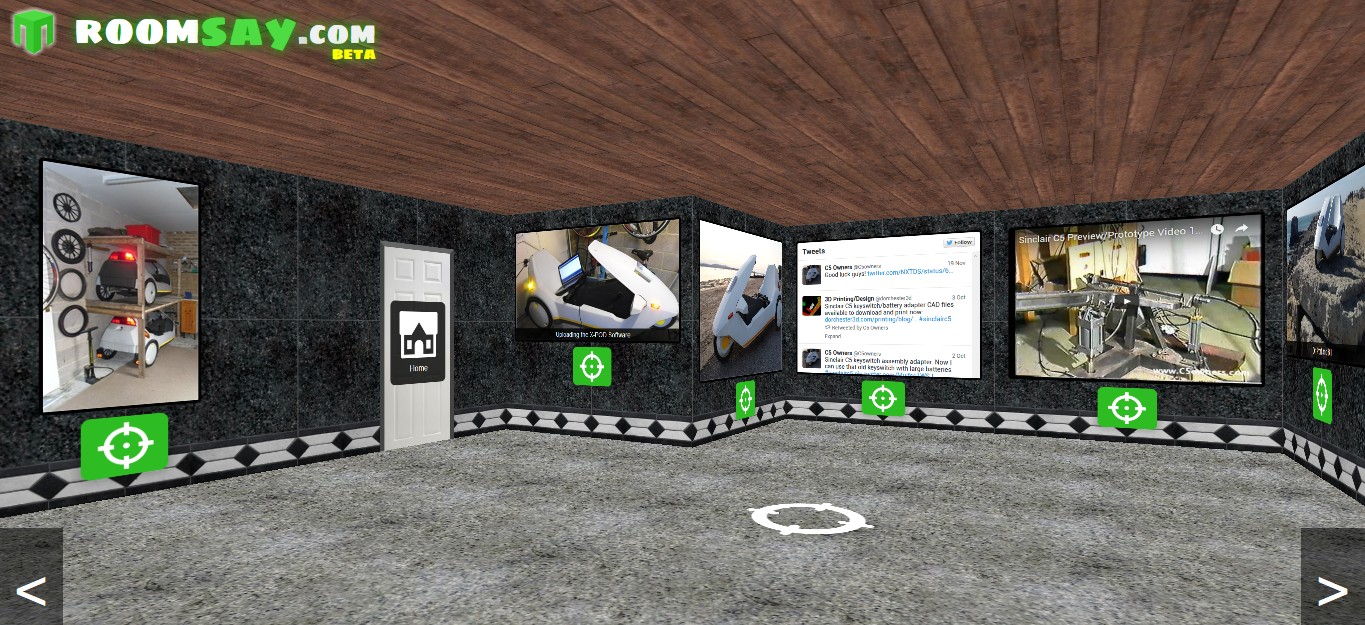
It has been tested so far on the iPad, Google Chrome, IE12 and Firefox and works well. On small screen phones you may have problems trying to navigate but on the whole it is very usable considering how new the technology is.
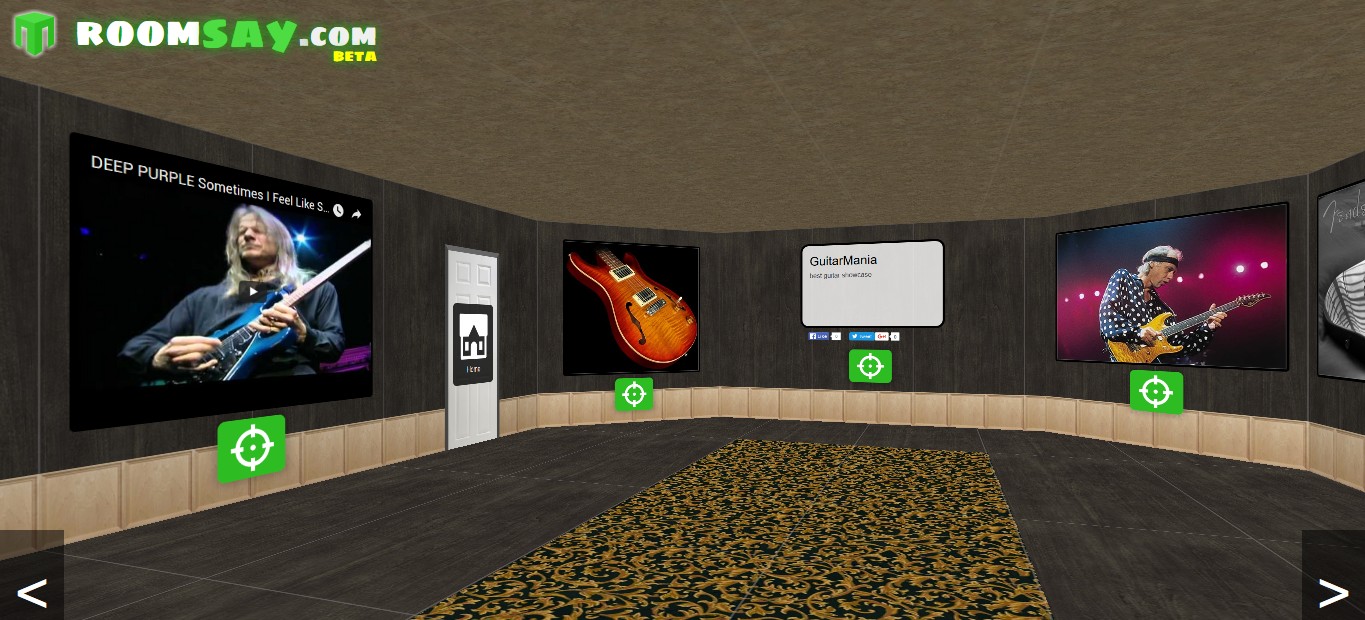
There is much more to this website such as the ability to "Skin" the rooms, that is to say you can change the textures used on the walls, floor, ceiling etc. Check it out for yourself here.
Feb 08, 2014 - read more...
Chat App Converted to HTML and JQuery
Converted from Silverlight to HTML and Javascript/JQuery is the Vectorlight Chat App. Login using your Vectorlight password to chat using your username and avatar. For those without a username can use a guest account.

Sep 08, 2011 - read more...
HTML5 iPhone,Android Big Guns Tower Defense
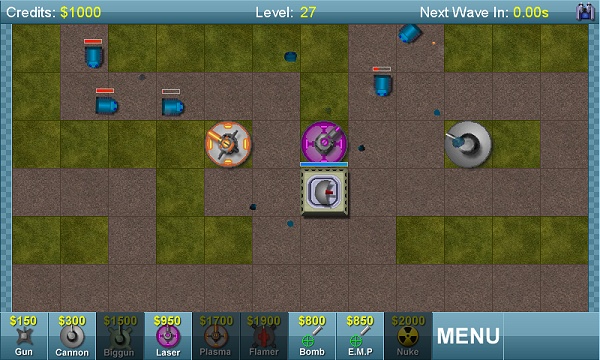
Big Guns has made the leap from Windows Phone 7 (XNA) to HTML5 so you can now play it on your iPhone, Android and other HTML5 compatible devices. You can play it now here
Jul 02, 2011 - read more...
HTML5 Games - Word Poppers and Batty
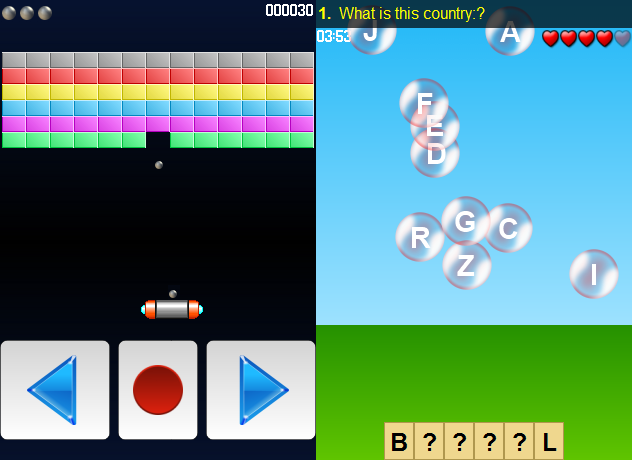
As the take-up of HTML5 quickens (74% of users currently have a browser capable of HTML5 Canvas) we present two more games for both your browser and mobile.
Word Poppers is a simple word-based puzzle game. The objective is to complete the unknown word by clicking on letters that are floating around in bubbles. The web version can be played here.
Batty the Ball is a remake of the classic bat and ball games from the '80s. Move your bat left and right to deflect the ball into the colored blocks, the aim being to destroy them all without losing your three lives. The web version can be played here.
Jun 04, 2011 - read more...
Big Guns Tower Defense on Windows Phone 7
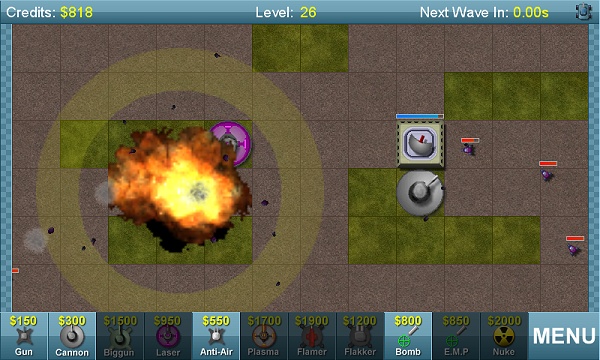
Coming soon to Windows Phone 7 is an XNA port of the popular Vectorlight tower defense game Super Tower Defense. Whilst retaining many of the graphical and gameplay features of the original Silverlight game, the WP7 version opts for a smaller and simpler level structure.
Like Wakacube, Big Guns Tower Defense has made the switch from Silverlight to XNA due to performance issues with Silverlight on WP7. In fact, for good game performance on WP7 with smooth framerates XNA is a must.
You can get it for your Windows Phone 7 here:
http://social.zune.net/redirect?type=phoneApp&id=6a04acc1-6978-e011-986b-78e7d1fa76f8
Big Guns Tower Defense is completely free. Here's a couple of screenshots of the game.
May 06, 2011 - read more...
Wakacube WP7 Update
Released to the Windows Phone 7 marketplace today is Version 1.1 of Wakacube the 3D physics game of skill. Included in the update are more levels (30 in total) and new mode "Wakatime" which generates random crate structures to keep players entertained long after the levels have been completed.
Also present is a new Preview mode allowing you to move the camera before taking a shot making it easier to aim. The scoring has been improved, points scored for distance, rotation and accuracy are now split up and appear clearly at the end of each shot.
Under the bonnet the physics engine has been greatly improved and now uses standard XNA Vector3 and Matrix types which will benefit performance greatly from the upcoming Mango update which accelerates operations on these data types.
The update is available in the marketplace, the Zune link is as follows:
http://social.zune.net/redirect?type=phoneApp&id=d8064d65-e462-e011-81d2-78e7d1fa76f8
Apr 26, 2011 - read more...
Guide the car to its parking space in this fun Car Parking game.

Aim for the Trash Can and get the various items of Trash in the bin.
Fly your plane in this colorful vertical scrolling shoot-em-up. Blast the bad guys and collect any bonus's they leave behind.
Pop as many bubbles as possible in this fun and colorful bubble popping game. The levels start off easy enough but gradually get harder!
Here we have a bunch of monsters that need to be matched up. Look out for the bomb and spinning monsters that will cause special damage!

Guide your friendly Bird through the maze of pipes and other obstacles collecting the Stars in this cool arcade game inspired by the legendary Flappy Bird.
You are stranded on an Alien planet. Your goal is to build a space rocket and escape. Start by building units to create power and mine the metal patches. Build defenses to defend your base from the advancing Aliens and Zombies!

Play Pool against the computer or battle against your friends in the online mode!
Slice the fruit that is thrown up onto the screen. Slice the fruit into multiple pieces for maximum points!