
Importing/Exporting HTML
This requires version 5.1.5 of the Liquid Controls Library, you can download the dll for free from the Downloads link above.
The Rich TextBox control contains a HTML property for importing/exporting, converting from HTML to RichText where the HTML provided was originally generated from RichText will give perfect results. HTML that has either been modified from a previous conversion or is completely new cannot be guaranteed to convert, certainly a source dump of a web page will not work.
Converting from RichText to HTML
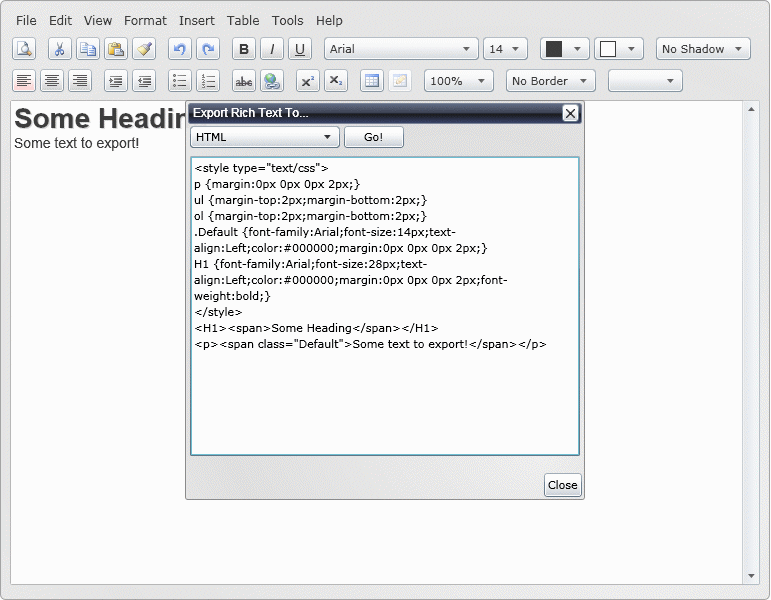
The online RichTextBox example can be used to test exporting HTML, in the screenshot below we export a snippet of RichText consisting of one heading and a line of text.
Converting from HTML to RichText
The basic requirements for converting a block of HTML to RichText is as follows:
All tags are well formed.
Your CSS styles are included in the same HTML file and not separate CSS files.
The CSS is contained within the <style> tag.
The HTML follows directly after the styles.
Ensuring the HTML is well formed is very important as it is parsed by an XML reader and HTML with missing or incorrectly closed tags will result in exceptions. An example of a simple HTML document that could be imported would be:
The online RichTextBox example can be used to test importing HTML.
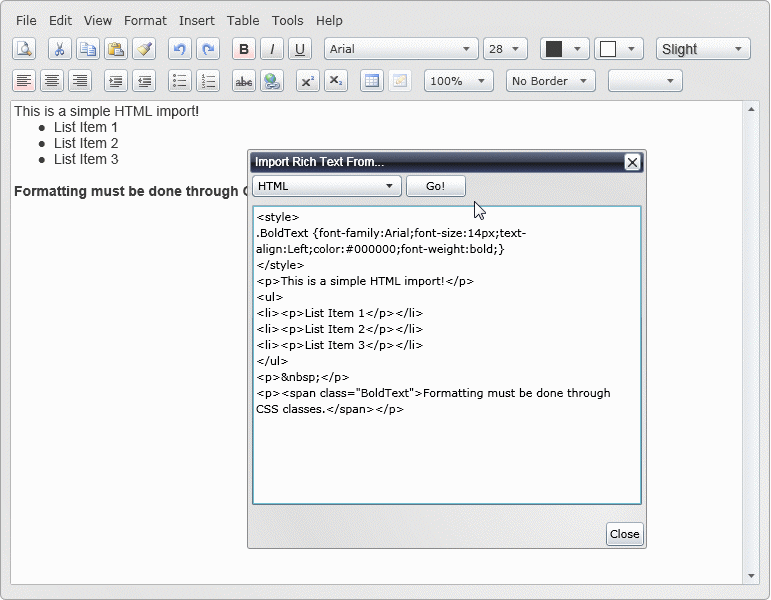
As you can see if you attempt to import the above into the RichTextBox using our online example you will notice the text with the class contains the correct styling after importation, however the text with the inline style is rendered without any bold styling. It is also important to note that only a few CSS style commands and possible values are accepted during the conversion, these are as follows:
font-family:Any Silverlight Font
font-size:Npx
text-align:left|center|right
color:#RGB
font-weight:bold
text-decoration:underline
font-style:Italic
vertical-align:Sub|Super
There are lots of possibilities for using the RichTextBox in HTML editing scenarios and it won't be long before we start seeing Silverlight powered forums and CMS systems.
Guide the car to its parking space in this fun Car Parking game.

Aim for the Trash Can and get the various items of Trash in the bin.
Fly your plane in this colorful vertical scrolling shoot-em-up. Blast the bad guys and collect any bonus's they leave behind.
Pop as many bubbles as possible in this fun and colorful bubble popping game. The levels start off easy enough but gradually get harder!
Here we have a bunch of monsters that need to be matched up. Look out for the bomb and spinning monsters that will cause special damage!

Guide your friendly Bird through the maze of pipes and other obstacles collecting the Stars in this cool arcade game inspired by the legendary Flappy Bird.
You are stranded on an Alien planet. Your goal is to build a space rocket and escape. Start by building units to create power and mine the metal patches. Build defenses to defend your base from the advancing Aliens and Zombies!

Play Pool against the computer or battle against your friends in the online mode!
Slice the fruit that is thrown up onto the screen. Slice the fruit into multiple pieces for maximum points!